This blog will show you how to use Eland to import machine learning models to Elasticsearch Serverless, and then how to explore Elasticsearch using a Pandas-like API.
NLP in Elasticsearch Serverless & Eland
Since Elasticsearch 8.0, it is possible to use NLP machine learning models directly from Elasticsearch. While some models such as ELSER (for English data) or E5 (for multilingual data) can be deployed directly from Kibana, all other compatible PyTorch models need to be uploaded using Eland.
Since Eland 8.14.0, eland_import_hub_model fully supports Serverless. To get the connection details, open your Serverless project in Kibana, select the "cURL" client, create an API key, and export the environment variables:
export ES_URL="https://[...].elastic.cloud:443"
export API_KEY="..."
You can then use those variables when running eland_import_hub_model:
$ docker run -it --rm --network host \
    docker.elastic.co/eland/eland \
    eland_import_hub_model \
      --url $ES_URL \
      --es-api-key $API_KEY \
      --hub-model-id elastic/distilbert-base-cased-finetuned-conll03-english \
      --task-type ner
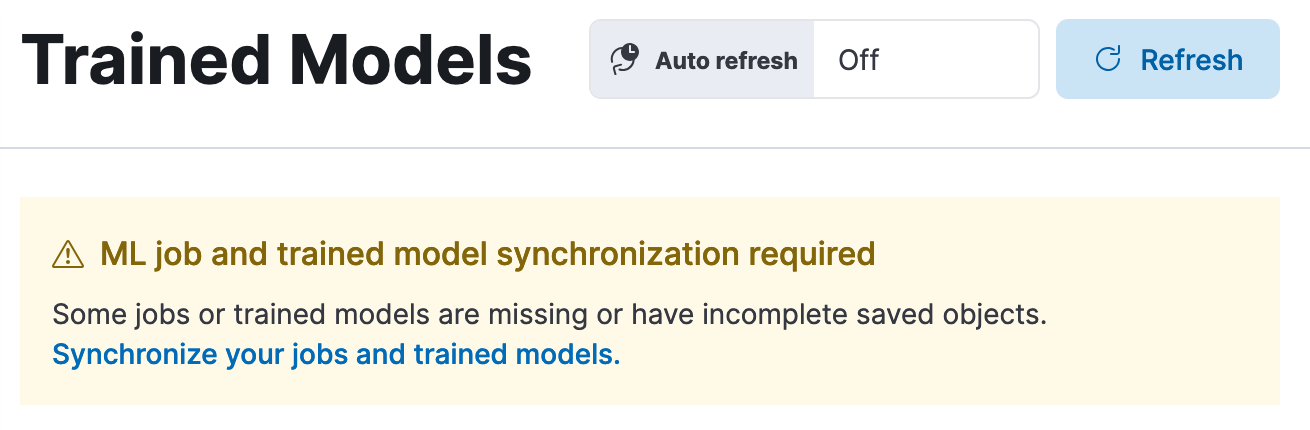
Next, search for "Trained Models" in Kibana, which will offer to synchronize your trained models.
Once done, you will get the option to deploy your model:
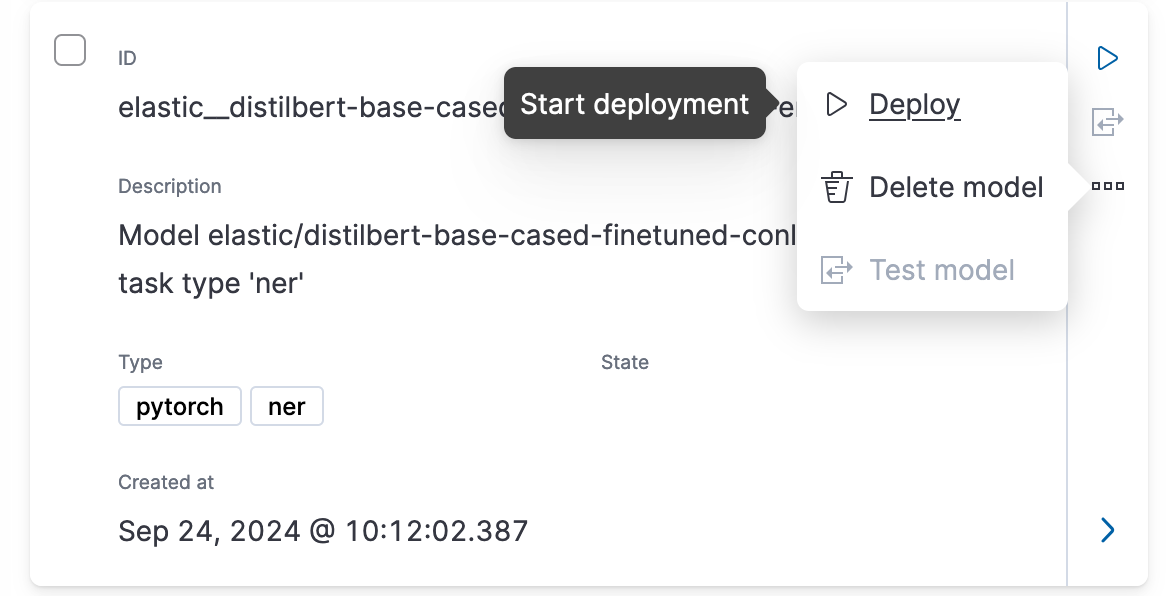
Less than a minute later, your model should be deployed and you'll be able to test it directly from Kibana.
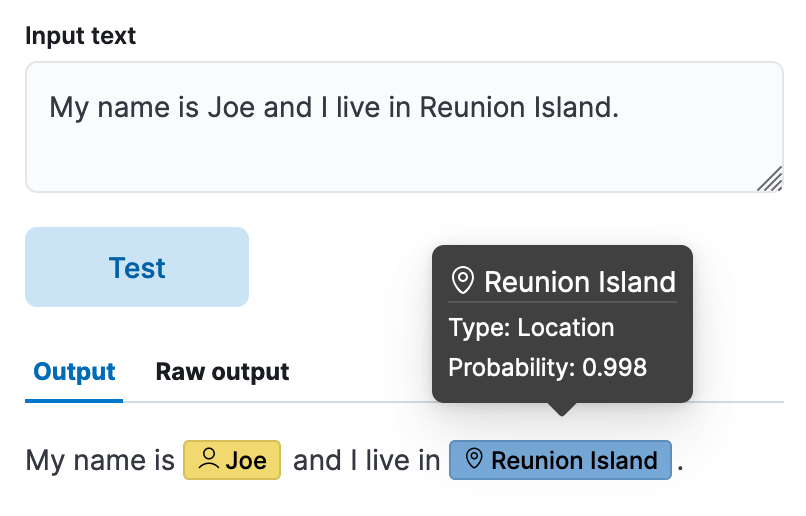
In this test sentence, the model successfully identified Joe as "Person" and "Reunion Island" as a location, with high probability.
For more details on using Eland for machine learning models (including scikit-learn, XGBoost and LightGBM, not covered here), consider reading the detailed Accessing machine learning models in Elastic blog post and referring to the Eland documentation.
Data frames in Eland
The other main functionality of Eland is exploring Elasticsearch data using a Pandas-like API.
Ingesting test data
Let's first index some test data to Elasticsearch. We'll use a fake flights dataset. While uploading using the Python Elasticsearch client is possible, in this post we'll use Kibana's file upload functionality instead, which is enough for quick tests.
- First, download the dataset https://github.com/elastic/eland/blob/main/tests/flights.json.gz and decompress it (
gunzip flights.json.gz). - Next, type "File Upload" in Kibana's search bar and import the
flights.jsonfile. - Kibana will show you the resulting fields, with "Cancelled" detected as a boolean, for example. Click on "Import".
- On the next screen, choose "flights" for the index name and click "Import" again.
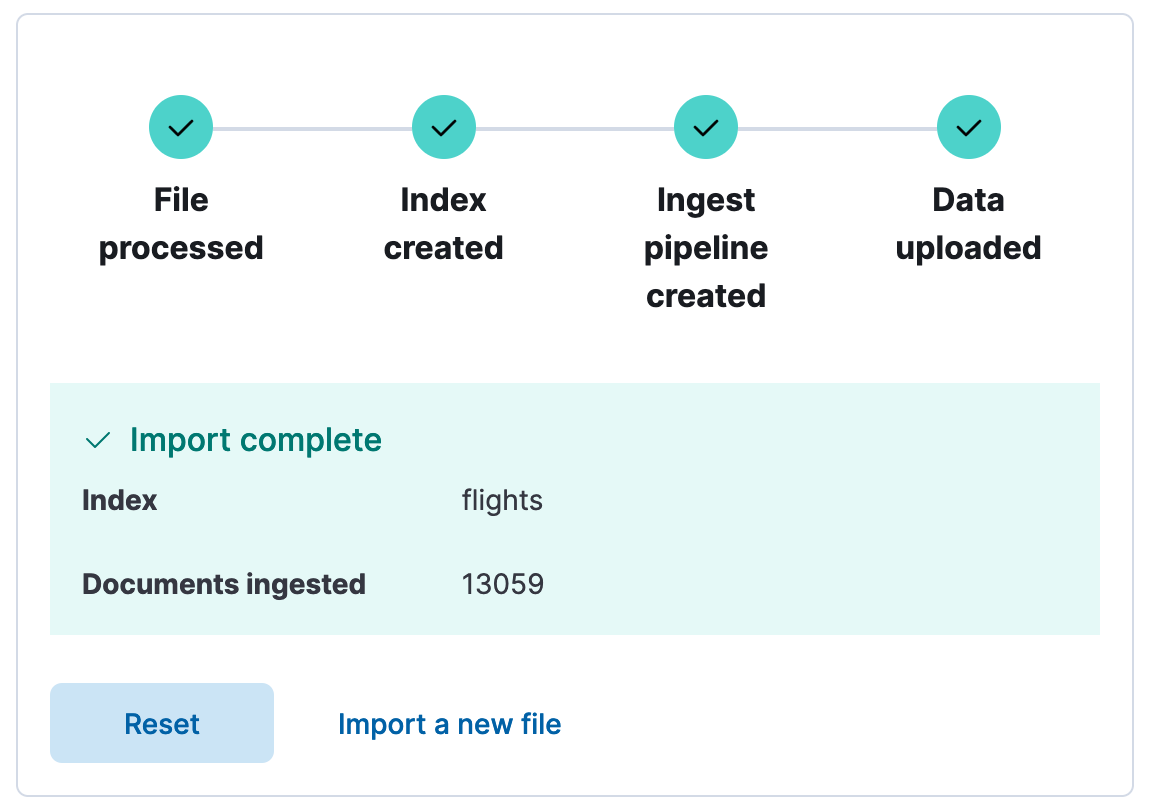
As in the screenshot below, you should see that the 13059 documents were successfully ingested in the "flights" index.
Connecting to Elasticsearch
Now that we have data to search, let's setup the Elasticsearch Serverless Python client. (While we could use the main client, the Serverless Elasticsearch Python client is usually easier to use, as it only supports Elasticsearch Serverless features and APIs.) From the Kibana home page, you can select Python which will explain how to install the Elasticsearch Serverless Python client, create an API key, and use it in your code. You should end up with this code:
from elasticsearch_serverless import Elasticsearch

client = Elasticsearch(
    "https://[...].es.eu-west-1.aws.elastic.cloud:443",
    api_key="your_api_key"
)

print(client.info())
Searching data with Eland
Finally, assuming that the above code worked, we can start using Eland. After having installed it with python -m pip install eland>=8.14, we can start exploring our flights dataset.
import eland as ed
from elasticsearch_serverless import Elasticsearch

client = Elasticsearch("https//...", api_key="...)
df = ed.DataFrame(client, es_index_pattern="flights")
df.head()
If you run this code in a notebook, the result will be the following table:
| AvgTicketPrice | Cancelled | Carrier | Dest | DestAirportID | DestCityName | DestCountry | DestLocation.lat | DestLocation.lon | DestRegion | ... | Origin | OriginAirportID | OriginCityName | OriginCountry | OriginLocation.lat | OriginLocation.lon | OriginRegion | OriginWeather | dayOfWeek | timestamp |
|---|---|---|---|---|---|---|---|---|---|---|---|---|---|---|---|---|---|---|---|---|
| 882.982662 | False | Logstash Airways | Venice Marco Polo Airport | VE05 | Venice | IT | 45.505299 | 12.3519 | IT-34 | ... | Cape Town International Airport | CPT | Cape Town | ZA | -33.96480179 | 18.60169983 | SE-BD | Clear | 0 | 2018-01-01T18:27:00 |
| 730.041778 | False | Kibana Airlines | Xi'an Xianyang International Airport | XIY | Xi'an | CN | 34.447102 | 108.751999 | SE-BD | ... | Licenciado Benito Juarez International Airport | AICM | Mexico City | MX | 19.4363 | -99.072098 | MX-DIF | Damaging Wind | 0 | 2018-01-01T05:13:00 |
| 841.265642 | False | Kibana Airlines | Sydney Kingsford Smith International Airport | SYD | Sydney | AU | -33.94609833 | 151.177002 | SE-BD | ... | Frankfurt am Main Airport | FRA | Frankfurt am Main | DE | 50.033333 | 8.570556 | DE-HE | Sunny | 0 | 2018-01-01T00:00:00 |
| 181.694216 | True | Kibana Airlines | Treviso-Sant'Angelo Airport | TV01 | Treviso | IT | 45.648399 | 12.1944 | IT-34 | ... | Naples International Airport | NA01 | Naples | IT | 40.886002 | 14.2908 | IT-72 | Thunder & Lightning | 0 | 2018-01-01T10:33:28 |
| 552.917371 | False | Logstash Airways | Luis Munoz Marin International Airport | SJU | San Juan | PR | 18.43939972 | -66.00180054 | PR-U-A | ... | Ciampino___G. B. Pastine International Airport | RM12 | Rome | IT | 41.7994 | 12.5949 | IT-62 | Cloudy | 0 | 2018-01-01T17:42:53 |
You can also run more complex queries such as aggregations:
df[["DistanceKilometers", "AvgTicketPrice"]].aggregate(["sum", "min", "std"])which outputs the following:
| DistanceKilometers | AvgTicketPrice | |
|---|---|---|
| sum | 9.261629e+07 | 8.204365e+06 |
| min | 0.000000e+00 | 1.000205e+02 |
| std | 4.578614e+03 | 2.664071e+02 |
The demo notebook in the documentation has many more examples that use the same dataset and the reference documentation lists all supported operations.
Ready to try this out on your own? Start a free trial.
Want to get Elastic certified? Find out when the next Elasticsearch Engineer training is running!
Related content

March 24, 2026
Elasticsearch replicas for load balancing in Serverless
Learn how Elastic Cloud Serverless automatically adjusts index replicas based on search load, ensuring optimal query performance without manual configuration.
March 12, 2026
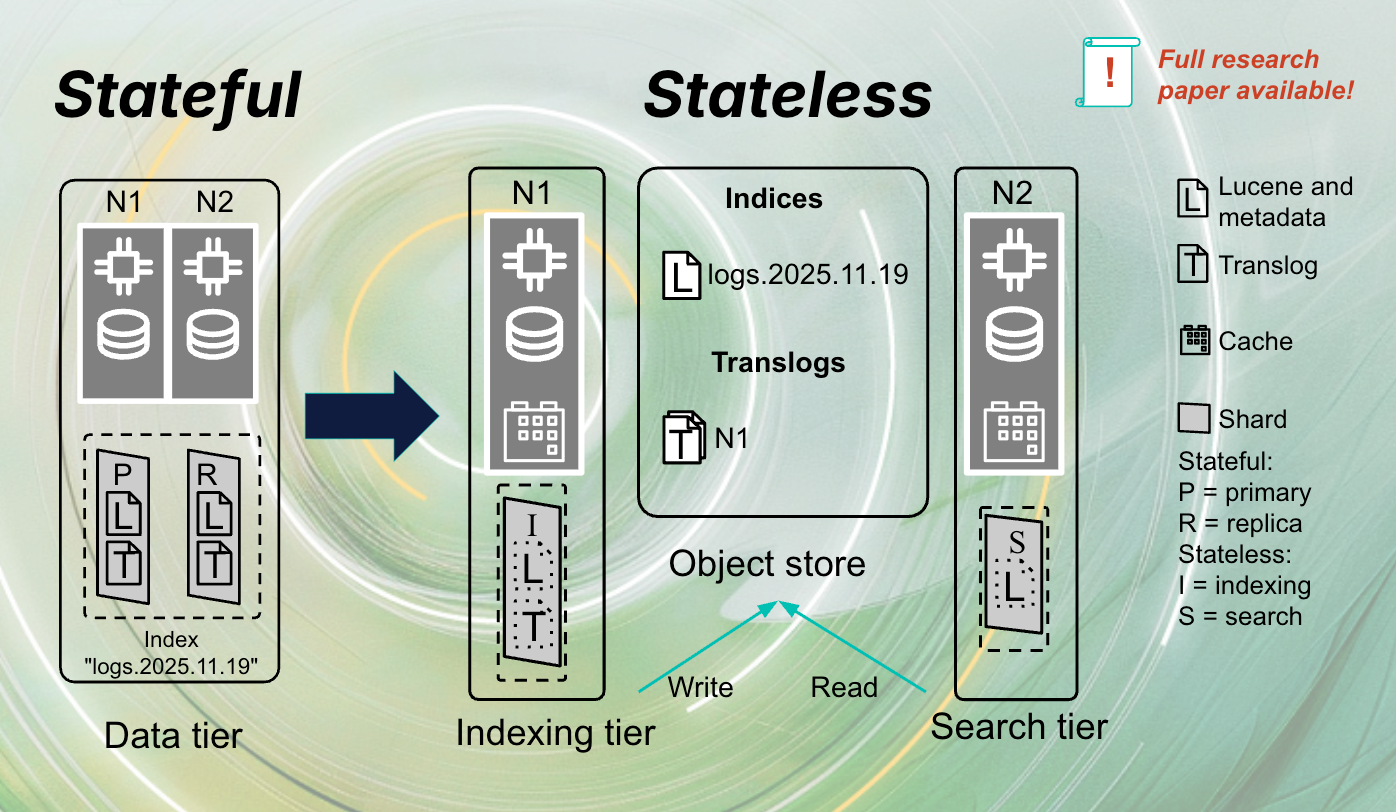
The stateless architecture of Elasticsearch Serverless
Exploring the stateless architecture of Elasticsearch Serverless. Learn how the stateful architecture was transformed into stateless for Serverless.

January 22, 2026
Agent Builder now GA: Ship context-driven agents in minutes
Agent Builder is now GA. Learn how it allows you to quickly develop context-driven AI agents.

January 14, 2026
Higher throughput and lower latency: Elastic Cloud Serverless on AWS gets a significant performance boost
We've upgraded the AWS infrastructure for Elasticsearch Serverless to newer, faster hardware. Learn how this massive performance boost delivers faster queries, better scaling, and lower costs.

March 4, 2025
The AI Agent to manage Elasticsearch Serverless projects
A natural language-powered AI agent that effortlessly manages Elasticsearch Serverless projects—enabling project creation, deletion, and status checks.