Introduction
In a recent article, Laura highlighted how to use the Java Elasticsearch client to craft ES|QL queries and parse their results as native Java objects. Similar functionality, with TypeScript support, will be available in the JavaScript client in the upcoming 8.14.0 release. This blog explains how to use the Elasticsearch JavaScript client and TypeScript support to craft ES|QL queries and handle their results as native JavaScript objects.
Implementation: ES|QL queries to TypeScript types with the Elasticsearch JavaScript client
First, let's use the bulk helper to index some data:
const client = new Client({
  node: "http://localhost:9200",
 const client = new Client({
  node: elasticsearchEndpoint,
  auth: {
    apiKey: elasticsearchApiKey
  }
});
})

await client.helpers.bulk({
  datasource: [
    { name: "Revelation Space", author: "Alastair Reynolds", release_date: "2000-03-15", page_count: 585 },
    { name: "1984", author: "George Orwell", release_date: "1985-06-01", page_count: 328 },
    { name: "Fahrenheit 451", author: "Ray Bradbury", release_date: "1953-10-15", page_count: 227 },
    { name: "Brave New World", author: "Aldous Huxley", release_date: "1932-06-01", page_count: 268 },
  ],
  onDocument(_doc) {
    return { index: { _index: "books" } }
  },
})
Now, let's use a very basic ES|QL query to look at these newly indexed documents:
const response = await client.esql.query({ query: 'FROM books' })
/*
Returns:
{
  columns: {
    { name: "name", type: "keyword" },
    { name: "author", type: "keyword" },
    { name: "release_date", type: "date" },
    { name: "page_count", type: "integer" },
  },
  values: [
    [ "Revelation Space", "Alastair Reynolds", "2000-03-15", 585 ],
    [ "1984", "George Orwell", "1985-06-01", 328 ],
    [ "Fahrenheit 451", "Ray Bradbury", "1953-10-15", 227 ],
    [ "Brave New World", "Aldous Huxley", "1932-06-01", 268 ],
  ],
}
*/
Returning each row as an array of values is a simple default that's useful in many cases. Still, if you wanted an array of records instead—a standard structure in JavaScript applications—extra effort is necessary to convert the data.
Fortunately, in 8.14.0, the JavaScript client will include a new ES|QL helper to do this for you:
const { records } = await client.helpers.esql({ query: 'FROM books' }).toRecords()
/*
Returns:
[
  { name: "Revelation Space", author: "Alastair Reynolds", release_date: "2000-03-15", page_count: 585 },
  { name: "1984", author: "George Orwell", release_date: "1985-06-01", page_count: 328 },
  { name: "Fahrenheit 451", author: "Ray Bradbury", release_date: "1953-10-15", page_count: 227 },
  { name: "Brave New World", author: "Aldous Huxley", release_date: "1932-06-01", page_count: 268 },
]
*/
If you're using TypeScript, you can declare the type of the results inline:
type Book = {
  name: string,
  author: string,
  release_date: string,
  page_count: number,
}
// Returns `records` as `Book[]`
const { records } = await client.helpers.esql({ query: 'FROM books' }).toRecords<Book>()
In another situation, you might need to declare a type that doesn't perfectly match the query results. Maybe the keys and columns don't have the same names, or the returned documents have columns that don't exist in your type. In this case, we can use the ES|QL RENAME and KEEP processing commands to modify our results to better fit your type:
type Book = {
  name: string,
  author: string,
  released: string,
}
const query = `FROM books | DROP page_count | RENAME release_date AS released`
const { records } = await client.helpers.esql({ query }).toRecords<Book>()
Conclusion
These are relatively simple examples that highlight how to use the new ES|QL helper in the JavaScript client, so check out the docs for full details. Future releases of the JavaScript client will likely include more ES|QL helpers, like pagination over large result sets using generators, and support for Apache Arrow.
All of our official clients have plans to include similar helpers and tools to make working with ES|QL queries as simple as possible. Check the changelog for your preferred client in the coming weeks and months!
Ready to try this out on your own? Start a free trial.
Want to get Elastic certified? Find out when the next Elasticsearch Engineer training is running!
Related content
January 19, 2026
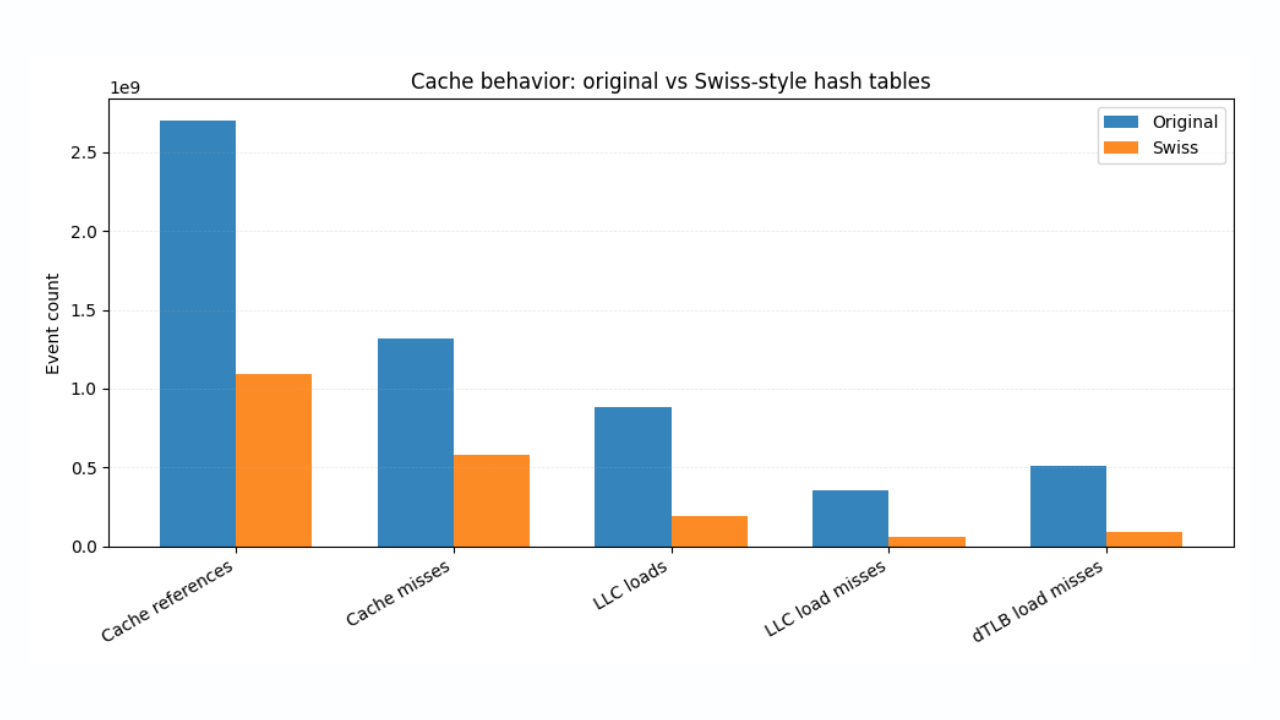
Faster ES|QL stats with Swiss-style hash tables
How Swiss-inspired hashing and SIMD-friendly design deliver consistent, measurable speedups in Elasticsearch Query Language (ES|QL).
January 8, 2026
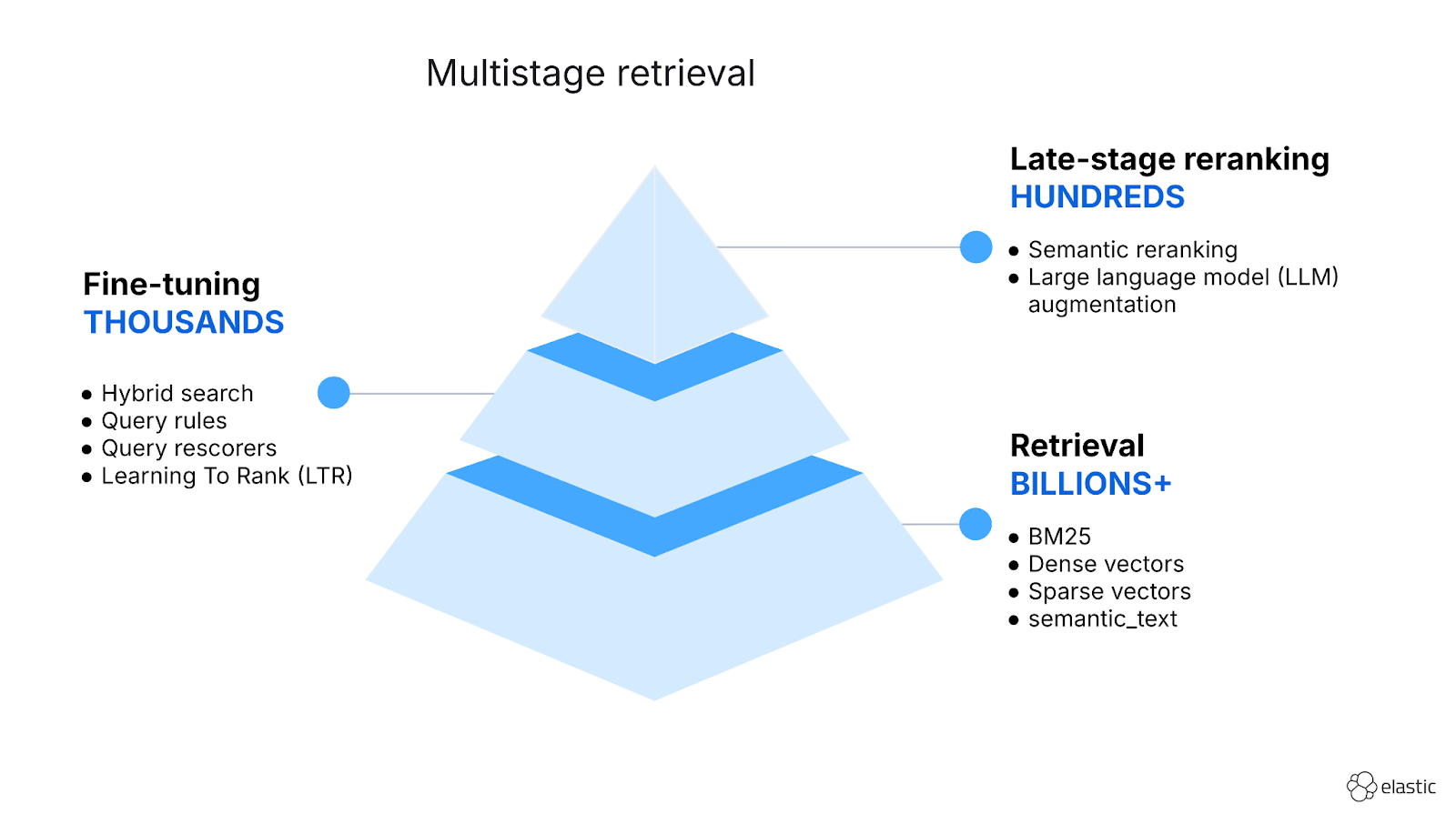
Hybrid search and multistage retrieval in ES|QL
Explore the multistage retrieval capabilities of ES|QL, using FORK and FUSE commands to integrate hybrid search with semantic reranking and native LLM completions.
December 12, 2025
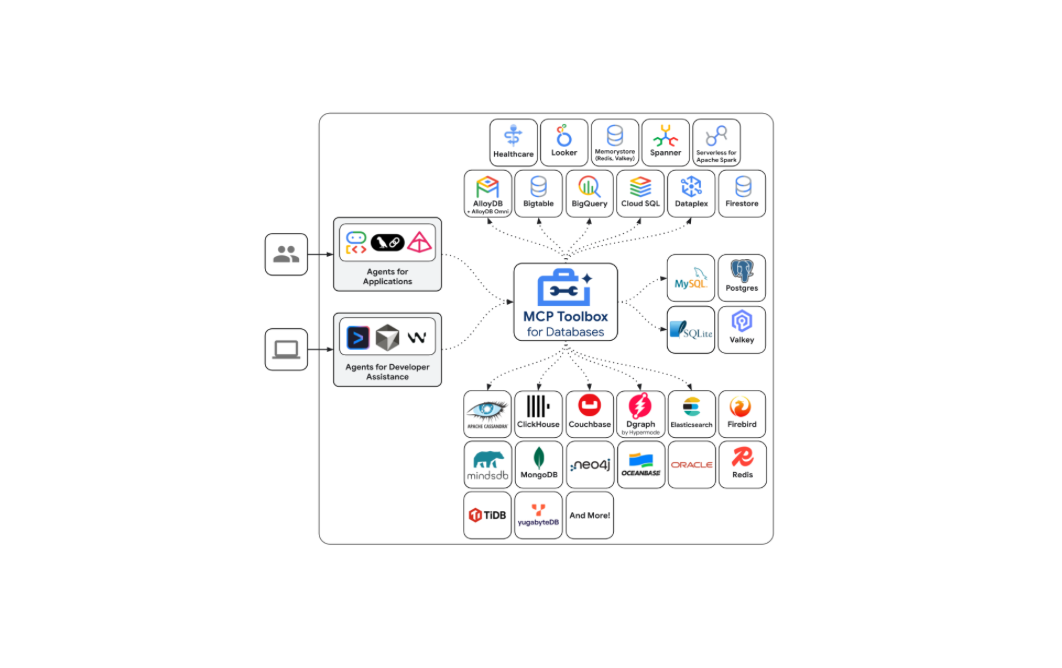
Introducing Elasticsearch support in the Google MCP Toolbox for Databases
Explore how Elasticsearch support is now available in the Google MCP Toolbox for Databases and leverage ES|QL tools to securely integrate your index with any MCP client.

Introducing the ES|QL query builder for the Elasticsearch Ruby Client
Learn how to use the recently released ES|QL query builder for the Elasticsearch Ruby Client. A tool to build ES|QL queries more easily with Ruby code.

Introducing the ES|QL query builder for the Python Elasticsearch Client
Learn how to use the ES|QL query builder, a new Python Elasticsearch client feature that makes it easier to construct ES|QL queries using a familiar Python syntax.