Build a “chat with your website” experience in under an hour using Elasticsearch Serverless, Jina Embeddings v5, Elastic Open Web Crawler, and Elastic Agent Builder.
By the end, you’ll have a working agent that can search your crawled pages, cite relevant passages, and answer questions grounded in your content, no custom chunking or embedding pipeline required.
In this guide, you’ll:
- Start an Elasticsearch Serverless project.
- Create an index using the new
semantic_textfield powered by Jina Embeddings v5. - Crawl any website using Elastic Crawler Control (a.k.a. Crawly) (an open source UI + API wrapper around the Elastic Open Web Crawler).
- Chat with that data using the Elastic Agent Builder in Kibana.
What you’ll walk away with:
- A repeatable pattern you can point at any website/docs source.
- Chat that stays grounded in your content.
Prerequisites
- An Elasticsearch Serverless (Search) project + an API key with write permissions.
- Docker + Docker Compose (to run the crawler UI).
git(to clone the repo).
1. Start an Elasticsearch Serverless project
First, we need a serverless project to host our data.
1. Log in to your Elastic Cloud Console.
2. Click Create project.
3. Select Search as the project type. (This type is optimized for vector search and retrieval.)
4. Give it a name (for example, es-labs-jina-guide), and click Create.
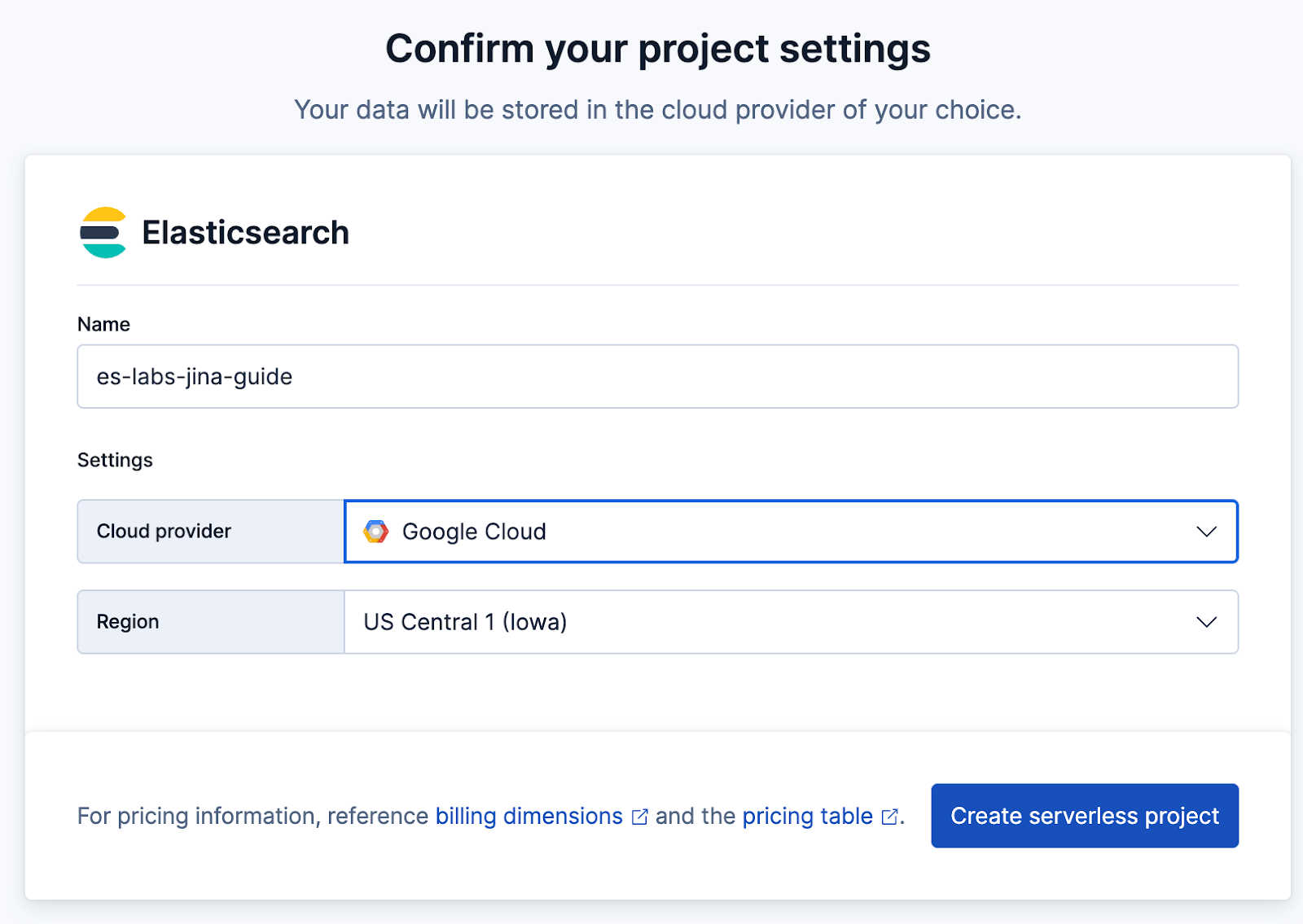
5. Important: Save the Elasticsearch endpoint and API Key provided when the project is created. You’ll need these for the crawler.

2. Create the index
Elasticsearch Serverless supports semantic_text, which handles chunking and embedding generation automatically. We’ll use the .jina-embeddings-v5-text-small model that’s hosted on GPUs on Elastic Inference Service.
Create the index with the semantic_text field. This tells Elastic to automatically vectorize content put into the field property using the inference endpoint we just created.
In Kibana Dev tools run:
PUT furnirem-website
{
  "mappings": {
    "_meta": {
      "description": "Each document represents a web page with the following schema: 'title' and 'meta_description' provide high-level summaries; 'body' contains the full text content; 'headings' preserves the page hierarchy for semantic weighting. URL metadata is decomposed into 'url_host', 'url_path', and 'url_path_dir1/2/3' to allow for granular filtering by site section (e.g., 'blog' or 'tutorials'). 'links' contains extracted outbound URLs for discovery. Crawl timestamp: 2026-01-26T12:54:16.347907."
    },
    "properties": {
      "body_content": {
        "type": "text",
        "fields": {
          "keyword": {
            "type": "keyword",
            "ignore_above": 256
          },
          "semantic_multilingual": {
            "type": "semantic_text",
            "inference_id": ".jina-embeddings-v5-text-small"
          }
        }
      },
      "headings": {
        "type": "text",
        "fields": {
          "keyword": {
            "type": "keyword",
            "ignore_above": 256
          },
          "semantic_multilingual": {
            "type": "semantic_text",
            "inference_id": ".jina-embeddings-v5-text-small"
          }
        }
      },
      "title": {
        "type": "text",
        "fields": {
          "keyword": {
            "type": "keyword",
            "ignore_above": 256
          },
          "semantic_multilingual": {
            "type": "semantic_text",
            "inference_id": ".jina-embeddings-v5-text-small"
          }
        }
      }
    }
  }
}
3. Run the Elastic Open Crawler

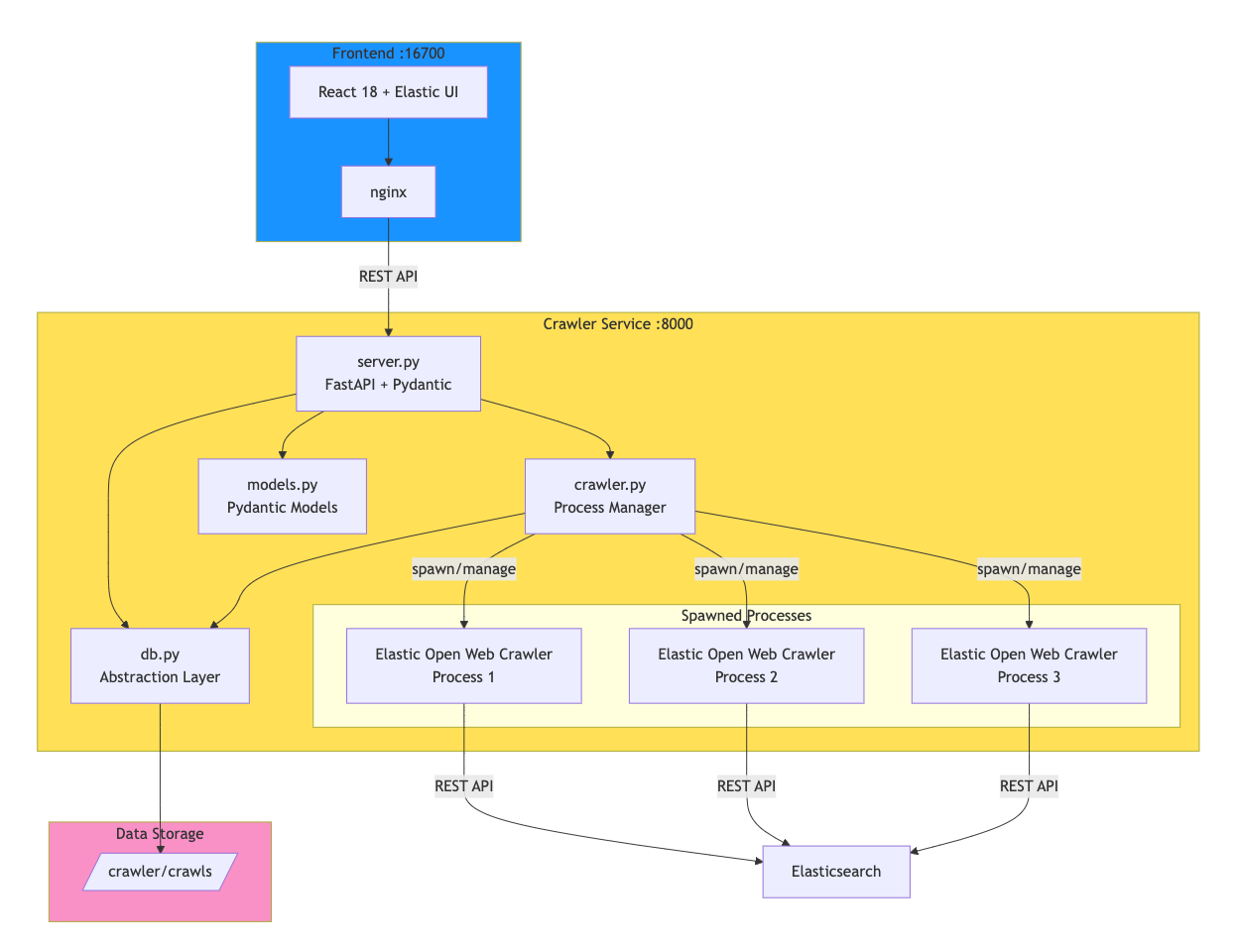
Crawly is one example of how an application can be constructed around the functionalities that the Open Web Crawler provides.
The application wraps the Elastic Open Crawler in a FastAPI service that manages crawler processes and persists execution data. A React front end provides the interface for configuring and monitoring crawls.
What happens under the hood is that the crawler service (check crawler.py) spawns JRuby processes via subprocess.Popen, allowing multiple concurrent crawls. Each execution's configuration, status, and logs are persisted to disk (for now).
Clone the repository:
git clone https://github.com/ugosan/elastic-crawler-controlCreate an env.local file with your Elasticsearch credentials:
ES_URL=https://your-elasticsearch-endpoint.es.cloud
ES_API_KEY=your_api_key_here
Start the services:
docker-compose upAccess the UI at http://localhost:16700
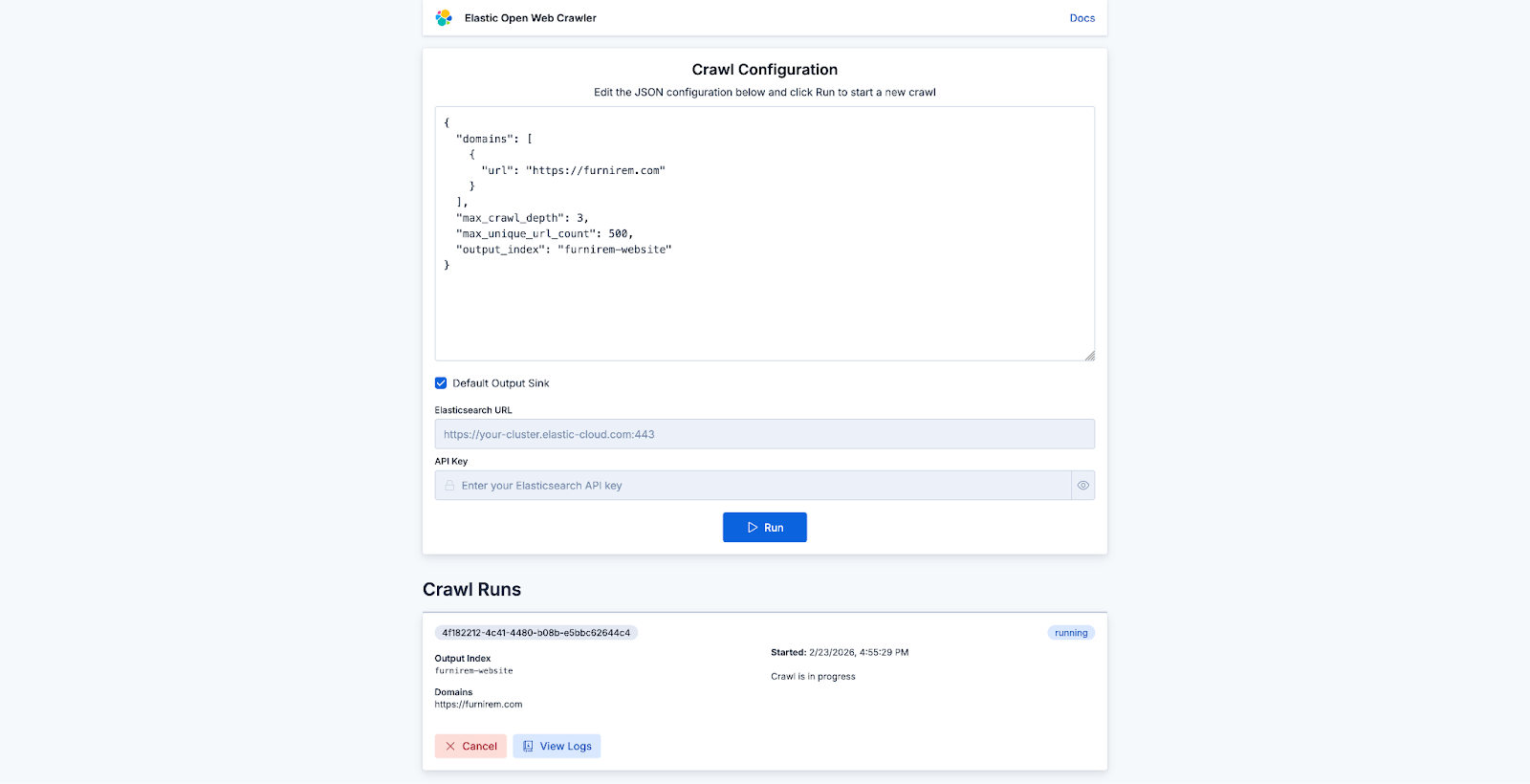
You don’t necessarily need seed_urls unless you want to be specific, so your config can be as simple as below:
{
  "domains": [
    {
      "url": "https://furnirem.com"
    }
  ],
  "max_crawl_depth": 3,
  "max_unique_url_count": 500,
  "output_index": "furnirem-website"
}
From there, you can start a crawl on any website and check its progress:
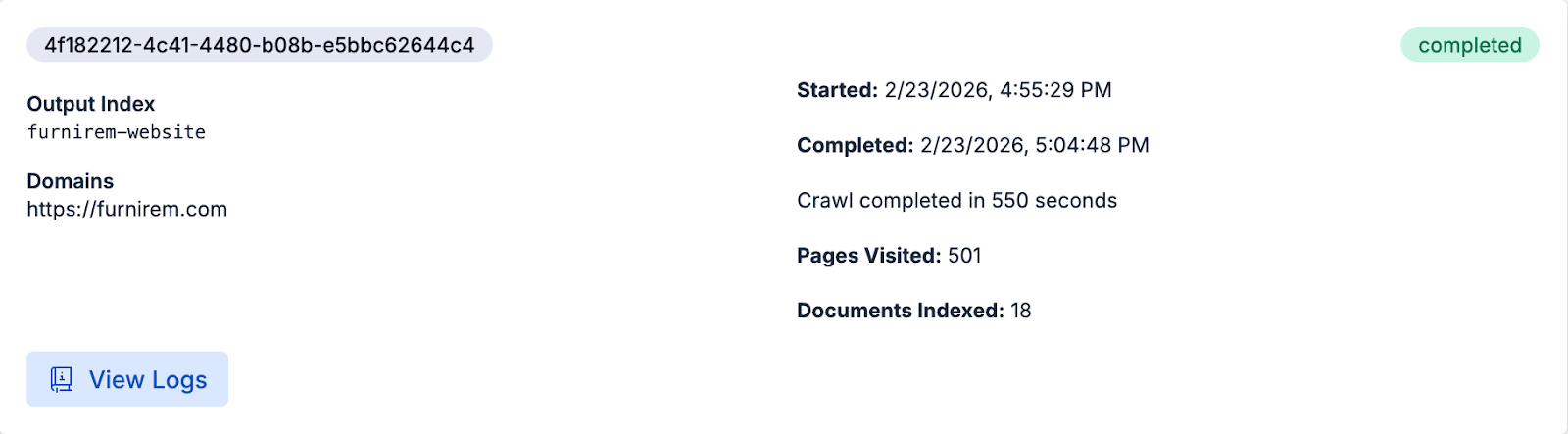
Once it's finished, we’re ready to query the content in Elasticsearch directly or use the pages you just crawled for chatting with the website on Agent Builder.
4. Chat with data in Kibana
Now that the data is indexed and vectorized, we can start chatting with the data using the Elastic Agent Builder.
- Open Kibana, and navigate to Agents (under the "Search" section).
- Test the agent:
- In the chat window, ask a question, like,"What is the difference between sparse and dense vectors?"
The agent will search your Jina-embedded data, retrieve the relevant snippets from the Search Labs blog posts, and generate an answer.
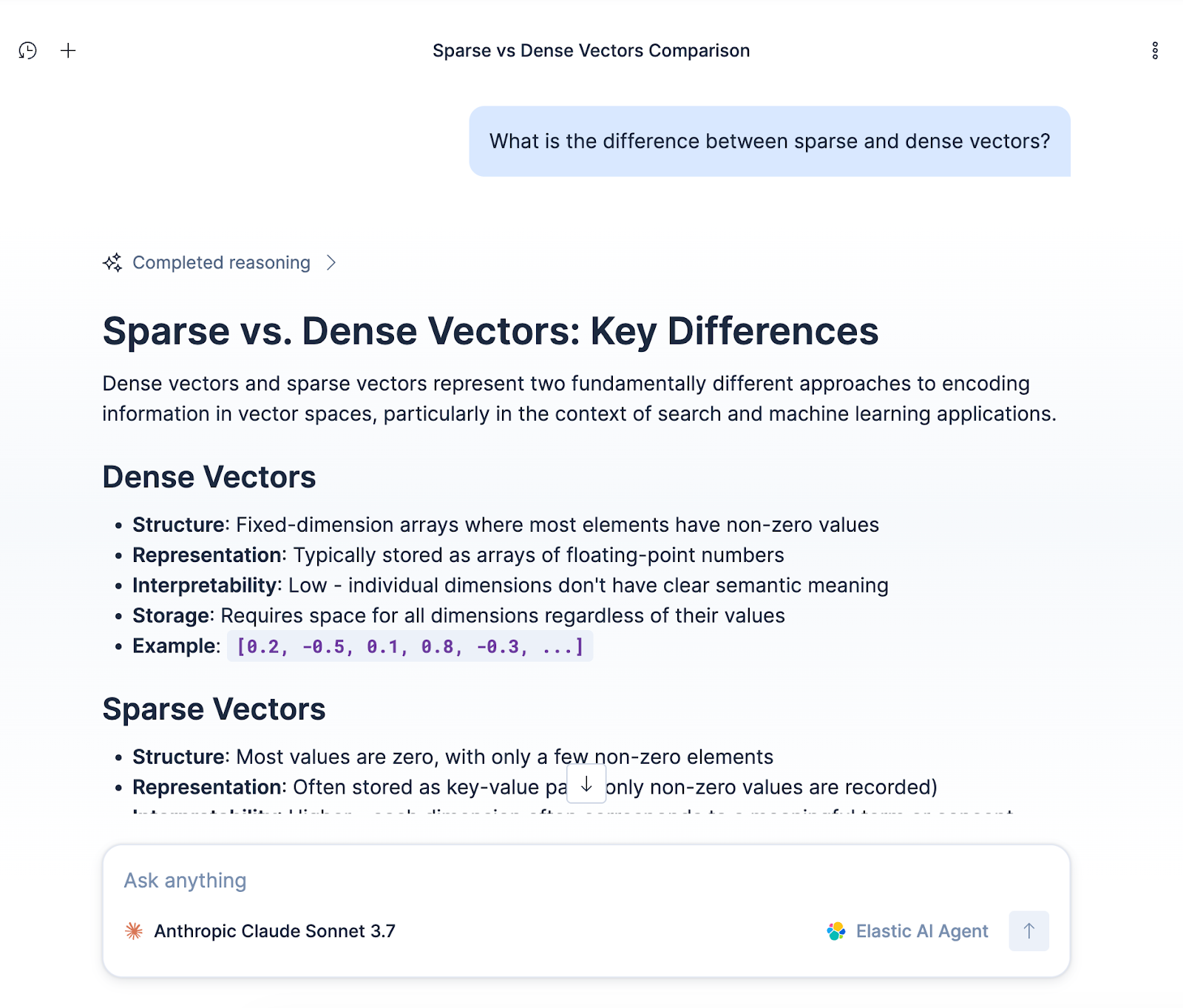
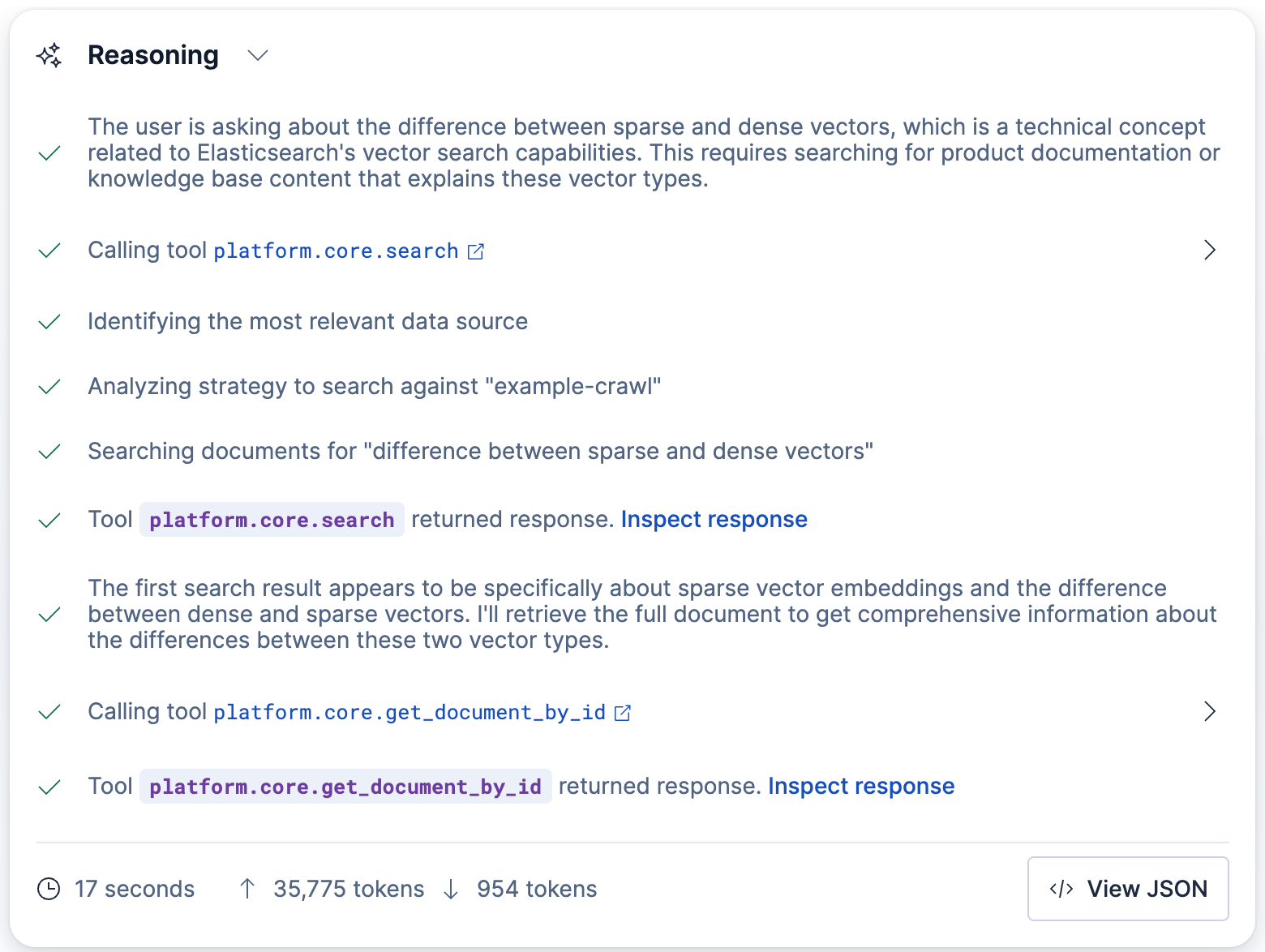
You can also chat with the data directly via Kibana API:
POST kbn://api/agent_builder/converse/async
{
  "input": "What is the difference between sparse and dense vectors?",
  "agent_id": "elastic-ai-agent",
  "conversation_id": "<CONVERSATION_ID>"
}
Use conversation_id to resume an existing conversation with an agent in Elastic Agent Builder. If you don’t provide it on the initial request, the API starts a new conversation and returns a newly generated ID in the streaming response.
Summary
You now have a working “chat with your website” stack: Your site gets crawled, indexed, auto-embedded with semantic_text + Jina v5, and surfaced through an agent in Kibana that answers questions grounded in your pages.
From here, you can point the same setup at docs, support content, or internal wikis and iterate on relevance in minutes.
Ready to try this out on your own? Start a free trial.
Want to get Elastic certified? Find out when the next Elasticsearch Engineer training is running!
Related content

March 23, 2026
Using Elasticsearch Inference API along with Hugging Face models
Learn how to connect Elasticsearch to Hugging Face models using inference endpoints, and build a multilingual blog recommendation system with semantic search and chat completions.
March 27, 2026
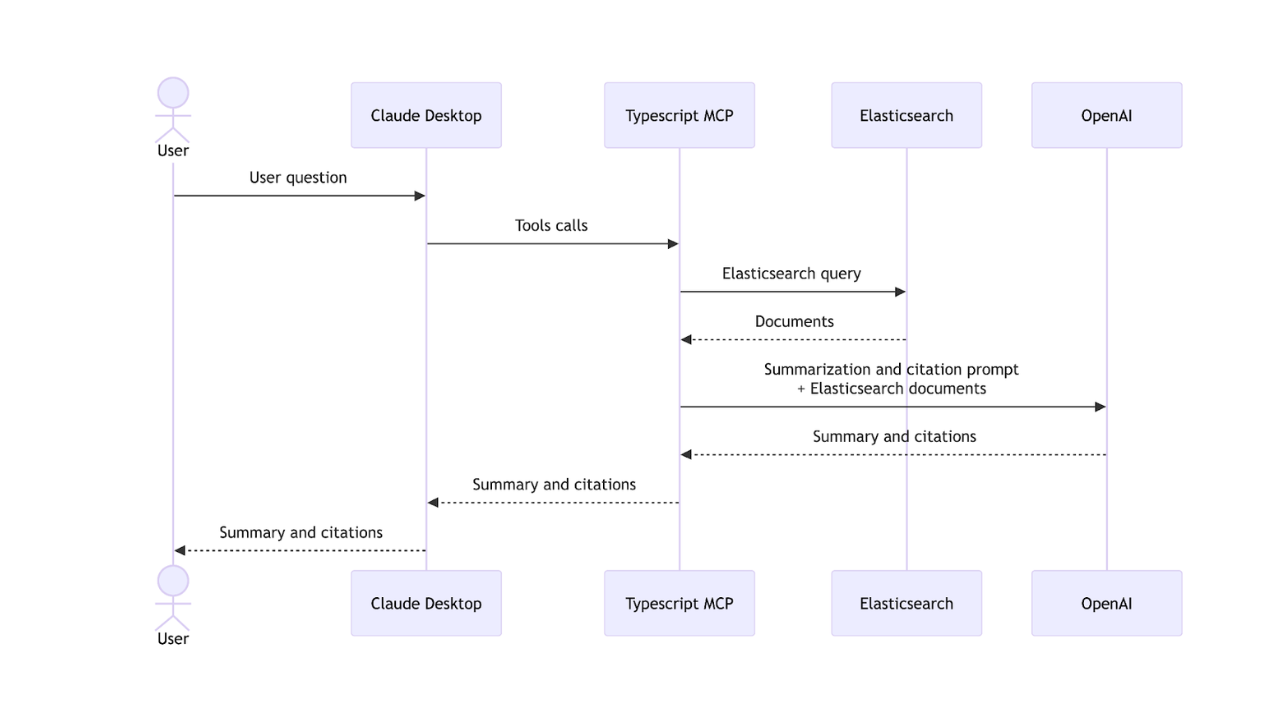
Creating an Elasticsearch MCP server with TypeScript
Learn how to create an Elasticsearch MCP server with TypeScript and Claude Desktop.
March 17, 2026
The Gemini CLI extension for Elasticsearch with tools and skills
Introducing Elastic’s extension for Google's Gemini CLI to search, retrieve, and analyze Elasticsearch data in developer and agentic workflows.

March 16, 2026
Agent Skills for Elastic: Turn your AI agent into an Elastic expert
Give your AI coding agent the knowledge to query, visualize, secure, and automate with Elastic Agent Skills.
March 18, 2026
AI agent memory: Creating smart agents with Elasticsearch managed memory
Learn how to create smarter and more efficient AI agents by managing memory using Elasticsearch.